It is often important to output documents with different appearances or formats to meet the requirements of users, customers or addressees (e.g. agencies).
Lawlift makes this possible by storing different Word letterhead templates in multi-documents. Each tab is then exported with the letterhead template stored in that tab, in the desired form.
As always, you can find the selected letterhead template at the top of the toolbar under Options.
Your default letterhead template is always preselected there. The option currently in use is displayed as underlined.
If you want to assign individual letterhead templates for the separate tabs instead, switch from the default template (in this example, the word “Template”) under Options by clicking on the respective tab name (in this example, the term “TAB 2”).
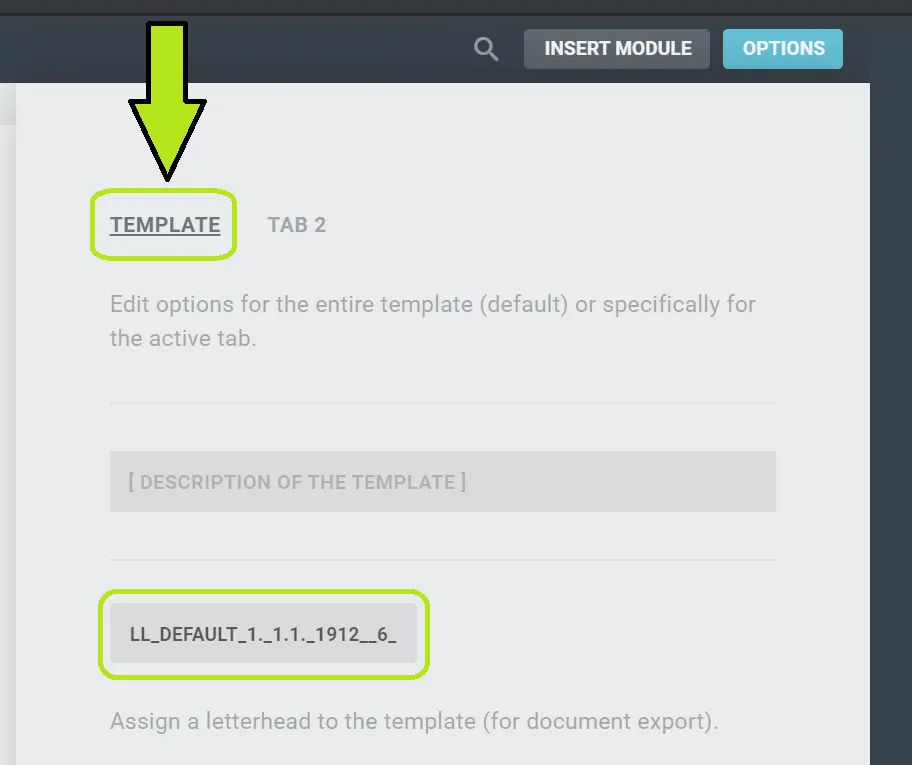
The selection will then jump to “TAB 2” (or the name you entered) (which is indicated by an underline) and you can now select a letterhead template used only for this tab.
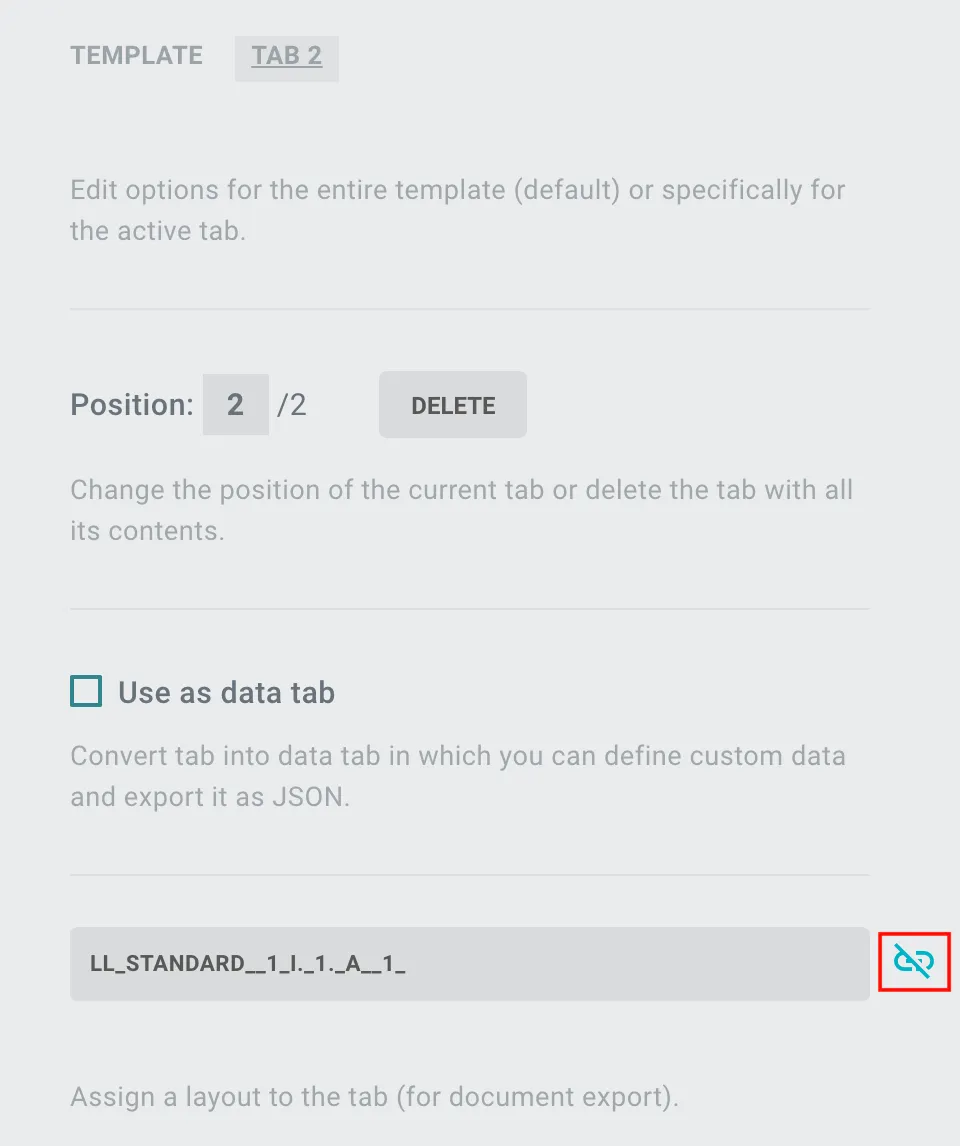
If you have selected your own layout, the synchronization symbol on the right-hand side changes to  , which indicates that this tab has a different layout than the template.
If you now update the layout of the template, this has no effect on this tab.