You can see which elements (placeholders, inline rules, rules) are related to the answer using the interview.
Open a template in the editor mode and hover over a question or answer in the interview. The number of dependencies is now displayed directly next to the question/answer.
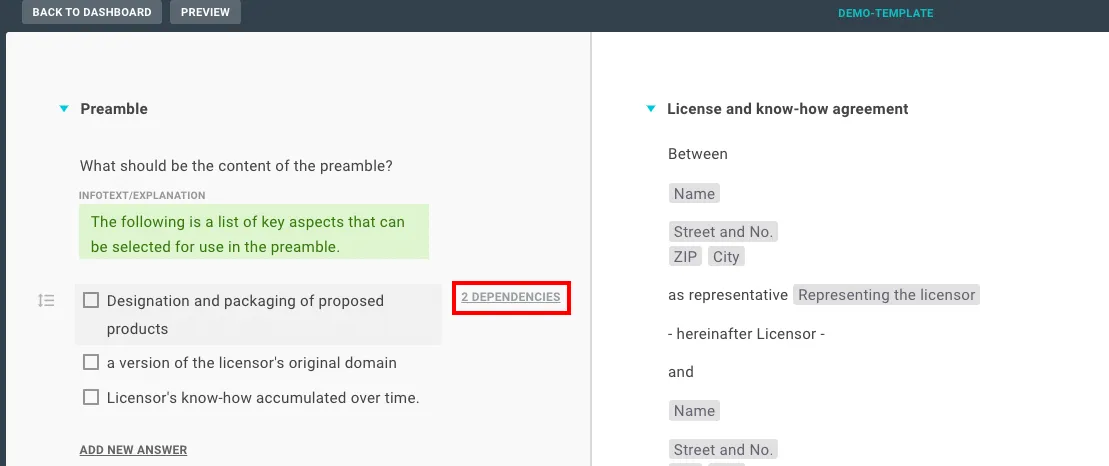
Now click this button so that the Dependency Navigator opens. You can now navigate through the individual dependencies. All dependencies will be highlighted, but the selected dependency will also be focused on. First, the dependencies are scrolled through on the right side (editor) and then on the left side (interview).
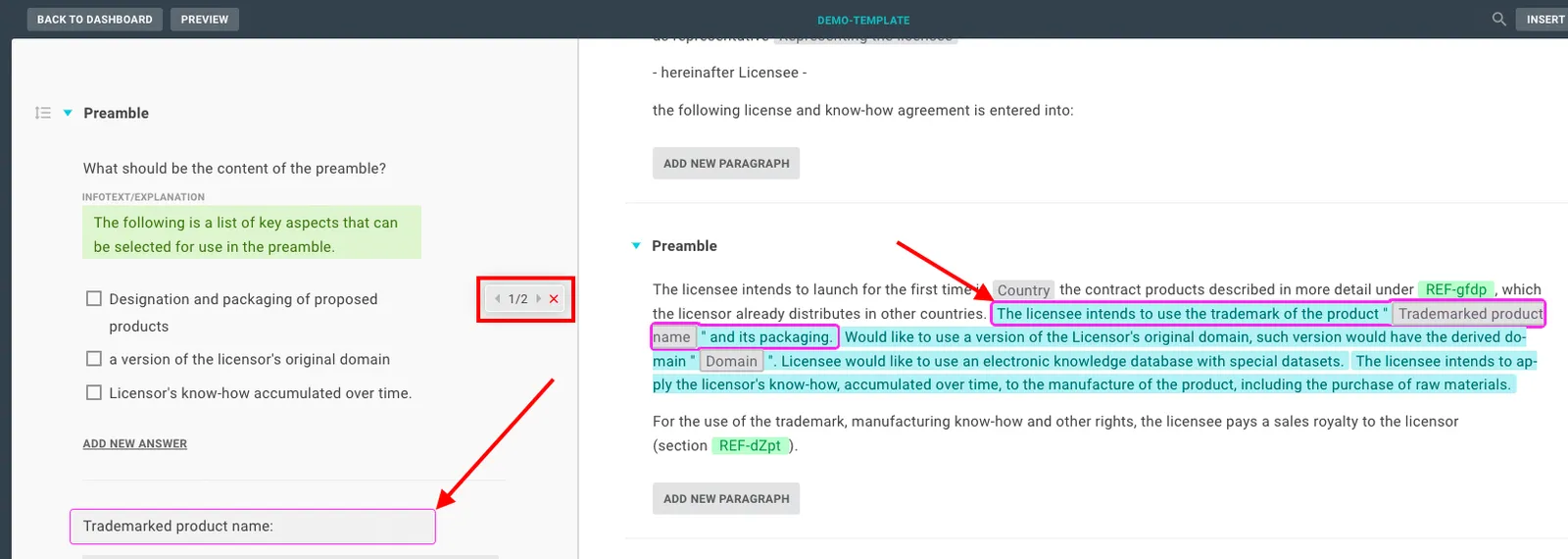
For text entries, the dependency indicator is displayed at the top:

Info
If there are no dependencies, “0 dependencies” is displayed and the navigator does not open. If you scroll in the interview and the button is at the top or bottom, it will stay there until you scroll back:
When you close the navigator, the template returns to the previous state.