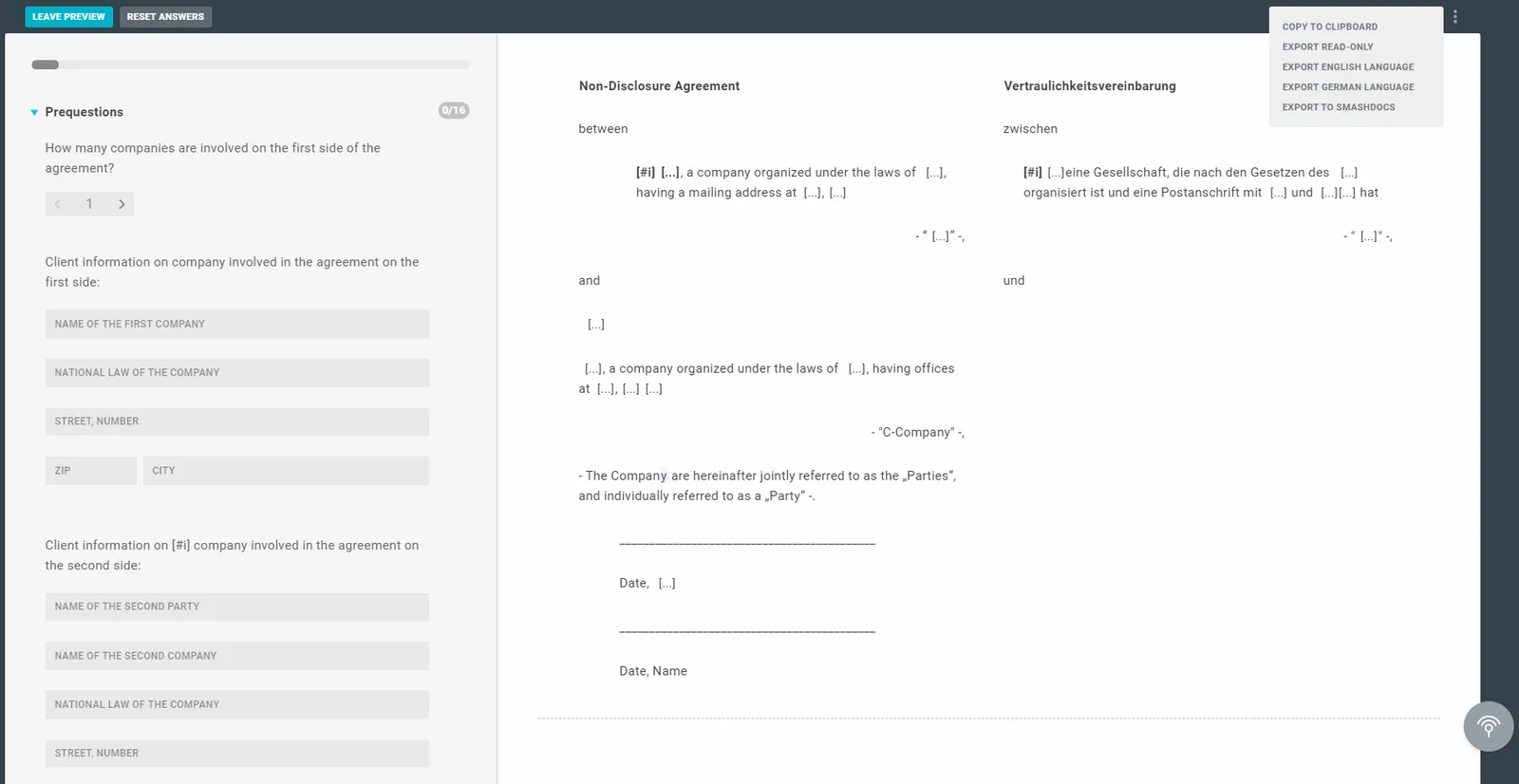
If you have activated the bilingual mode in the template, you can export a monolingual version of the document instead of the bilingual version. You can then choose between the default language (left column) and the secondary language (right column).
To do this, open the use or preview mode. Click on the three grey dots next to EXPORT TO WORD. There you can select the option EXPORT TO ENGLISH or SECONDARY LANGUAGE. The document will be downloaded in the chosen language. If you just click on EXPORT TO WORD, the template will be downloaded bilingually.
Note
If you want to create a Read-only Download, you can only export the two-column/bilingual version. The monolingual version (generated from a bilingual/two-column template) cannot be exported as a read-only document.
Tip
Please also consider our Multi-Document Workflow. There you can export many different languages in either one or two columns. If different language versions of the template are to be generated using the same interview, this would be the better way.