Link the answers of a select or multiple-choice question to a placeholder on the text page - so you can use the answer text directly in the generated document.
Answers as placeholders on the text page
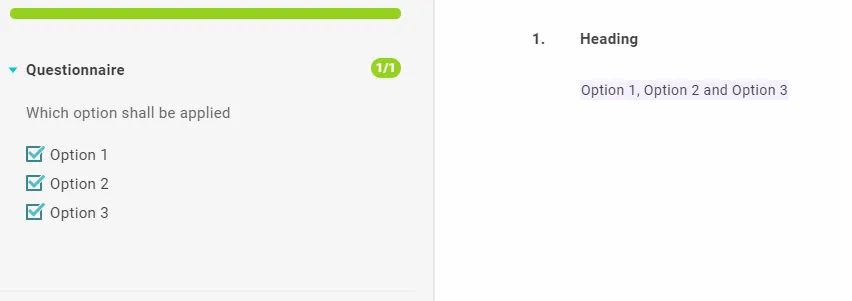
Link the answer to a placeholder on the text page. For multiple-choice questions, the answers are joined automatically with ”,” and “and” (in the template’s language).
A free alternative via a text question
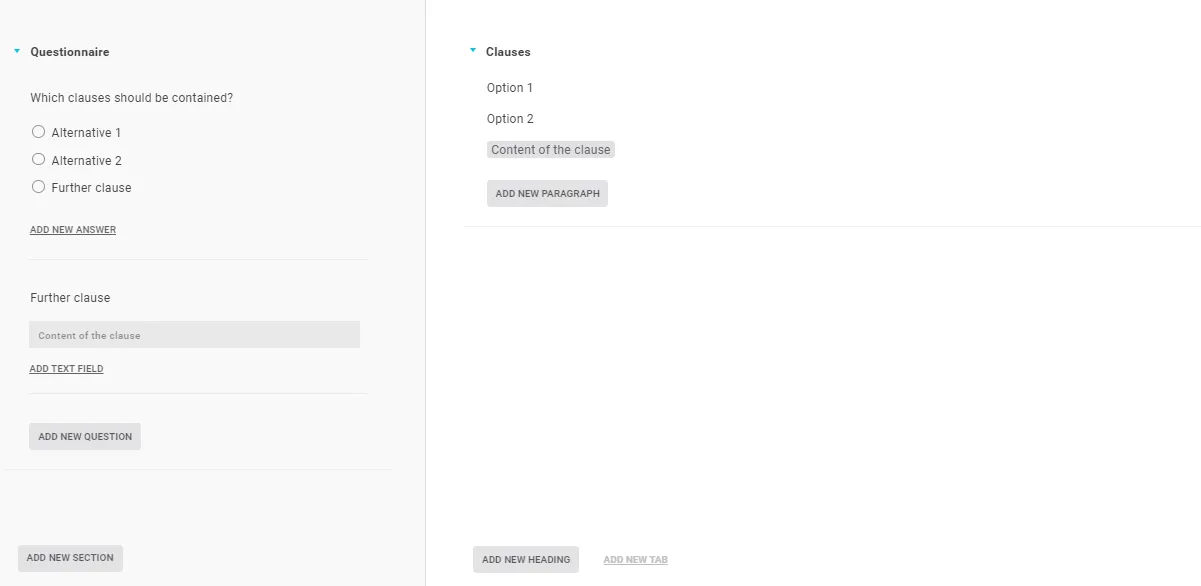
To also offer a freely worded “further clause”:
- Create the select or multiple-choice question with all the fixed alternatives.
- Add one more alternative, for example “further clause”.
- Add a text question that asks for it, and put a rule on it linked to the “further clause” answer (so it only appears with that choice).
- On the text page, create the clauses and govern them with the answers.
Note: With this approach, don’t also link the multiple-choice question to a placeholder on the text page.
Tip: You can also link the answers directly to a text question’s placeholder - then you can use the automatic listing for multiple-choice questions too.