You can import an existing template into a tab of a new template and build on content you’ve already worked out.
Step by step
-
Download the template you want to keep using.
-
In the dashboard, create a new template under Templates.
-
Click Create tab at the bottom - you’re now in the new tab.
-
Open Options and scroll down to Upload template data. Upload the template you downloaded.
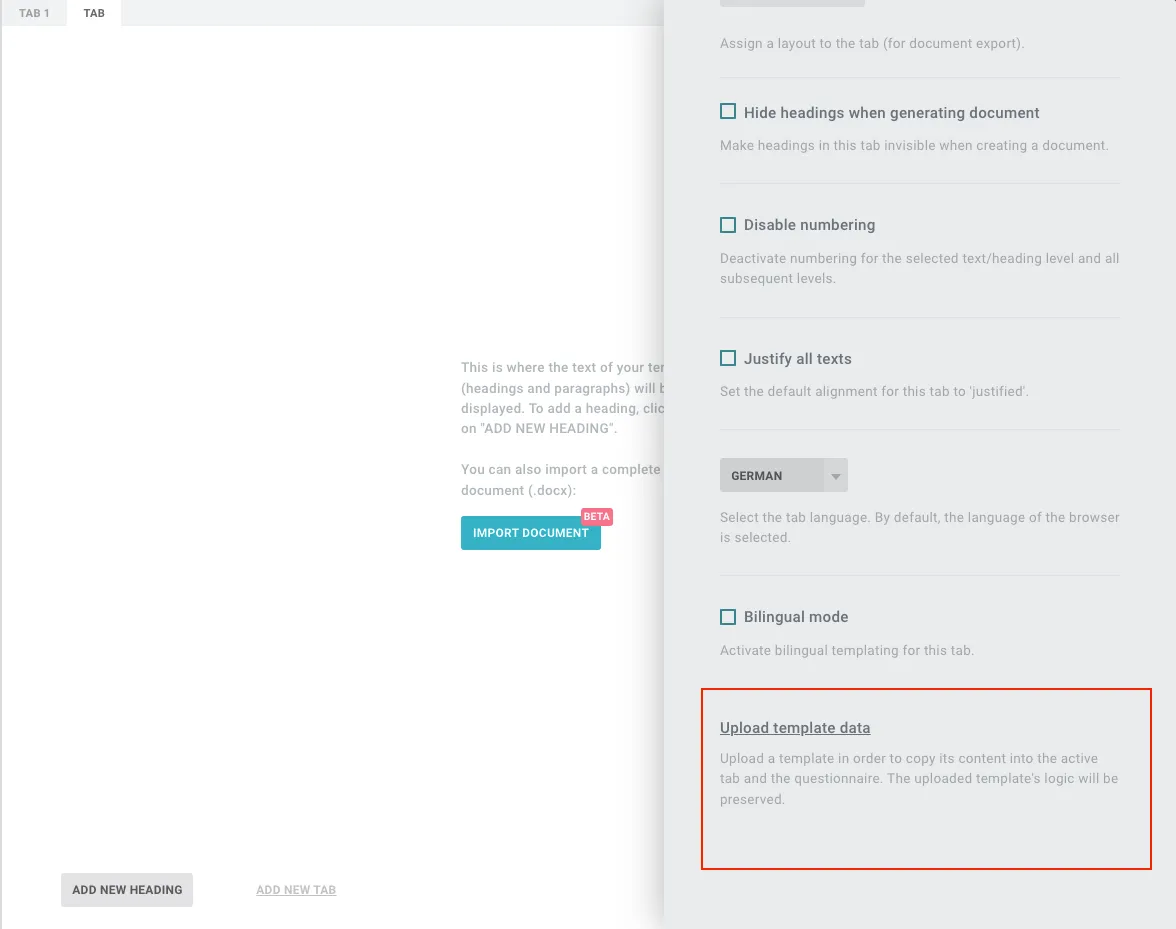
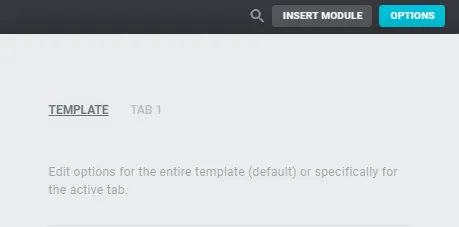
Note: This option only appears when the tab is selected at the top of Options (shown with a grey background) - not when the whole template is selected.
Good to know
- Several tabs in the source template? If it has only one tab, just upload it. For several tabs: make a copy, delete the tabs you don’t need, download it - then import as above.