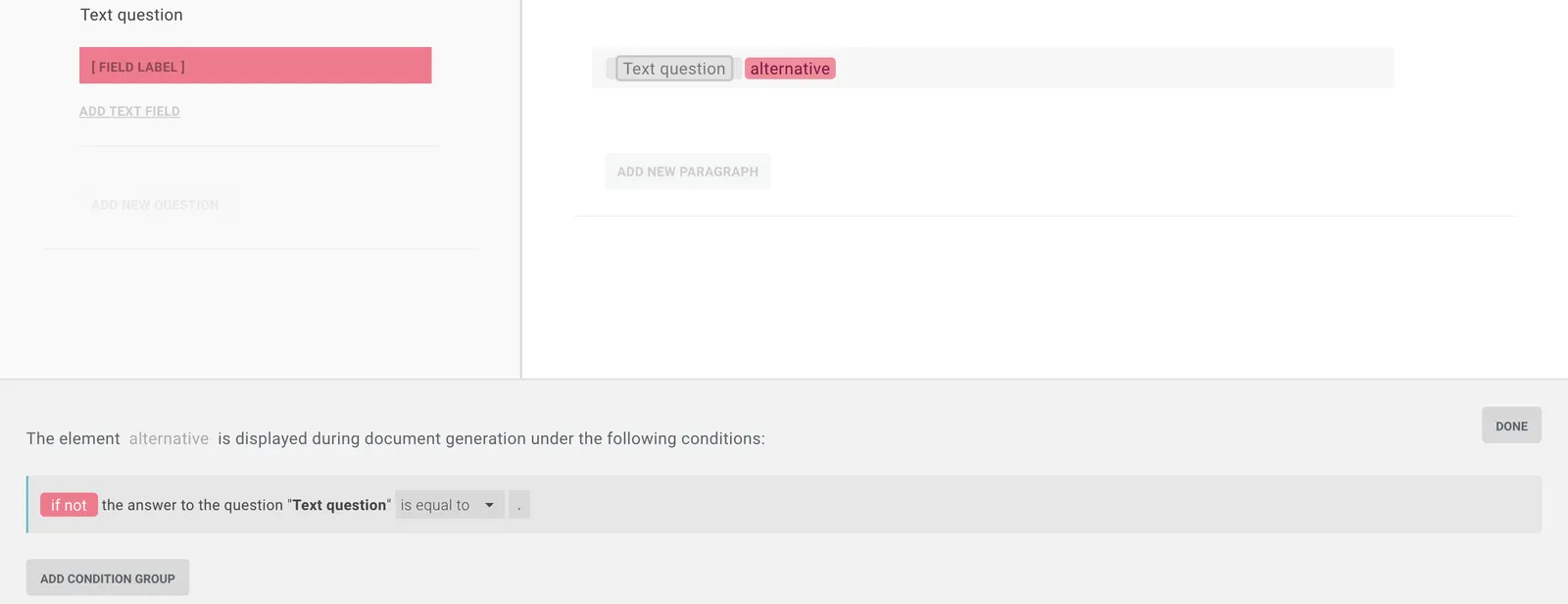
You can make an element depend on the number of a serial or on the input in a text field.
Set rules on serials
To tie an element to a serial’s number with a mathematical rule:
-
Create a serial question and the element that should depend on the number.
-
Click Rules next to the element (or create an inline rule). The rule window opens.
-
Scroll to the serial question in the questionnaire and click the number 1 in it.
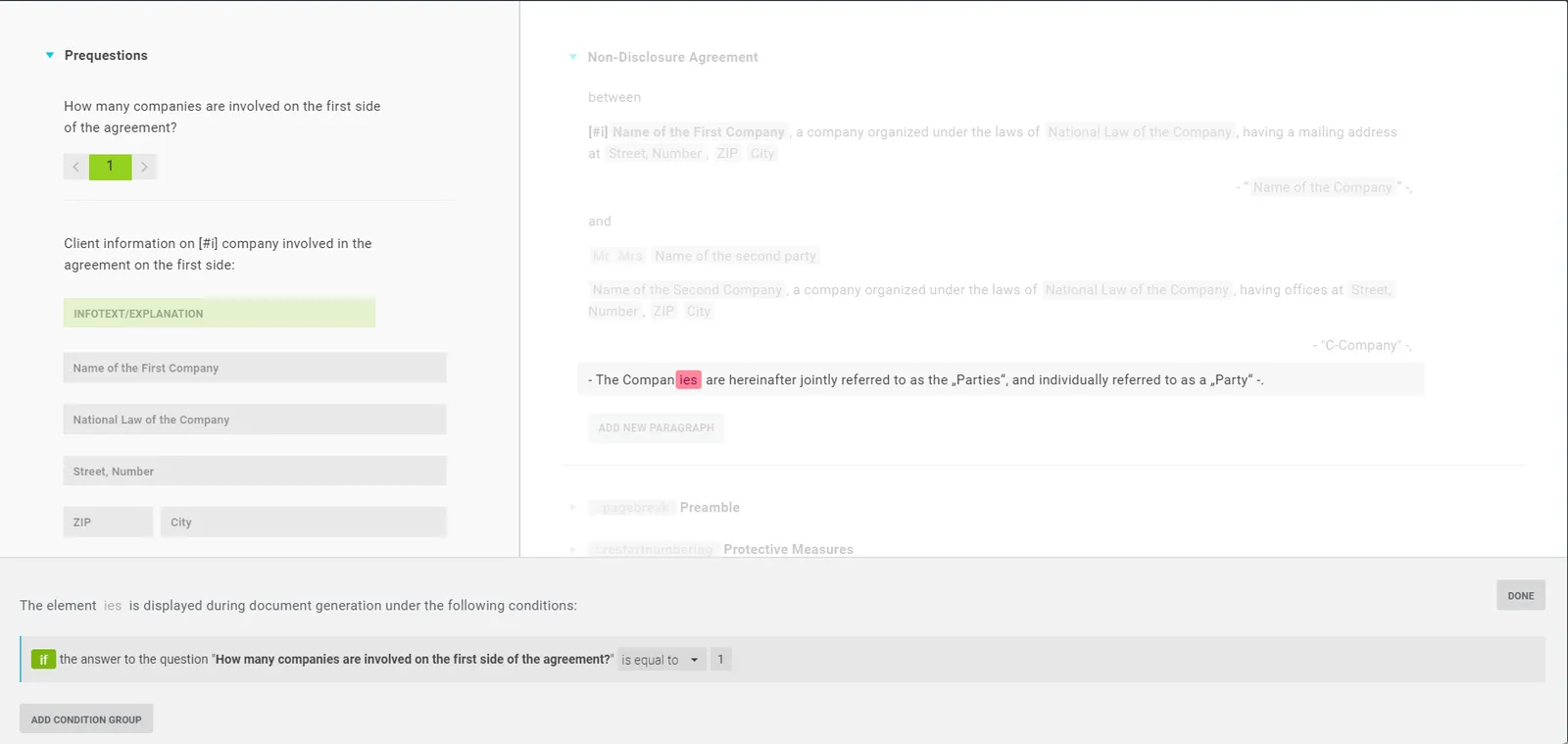
-
In the rule window, choose the condition - is equal to, is less or equal to, is less than, is greater or equal to or is greater than - and the number. Confirm with Done.

Tip: This lets you skip the singular/plural question (“Is there one or more shareholders?”) - set a rule on the serial instead: “is greater than 1”.
Set rules on placeholders
You can make an element depend semantically on a text-field input. Create a text question and the element to govern, click Rules (or an inline rule), and choose the link.

If, say, “Berlin” is entered for “Location of the company”, the element appears. Use the upward triangle to switch between semantic and mathematical links; change the compared value by clicking the field.
Input dependency
A useful case: set an inline rule on the placeholder and define the allowed pattern:
[a-zA-Z0-9]- only when letters and/or numbers are entered[0-9]- only numbers ·[a-z]- only letters[.]- on any input
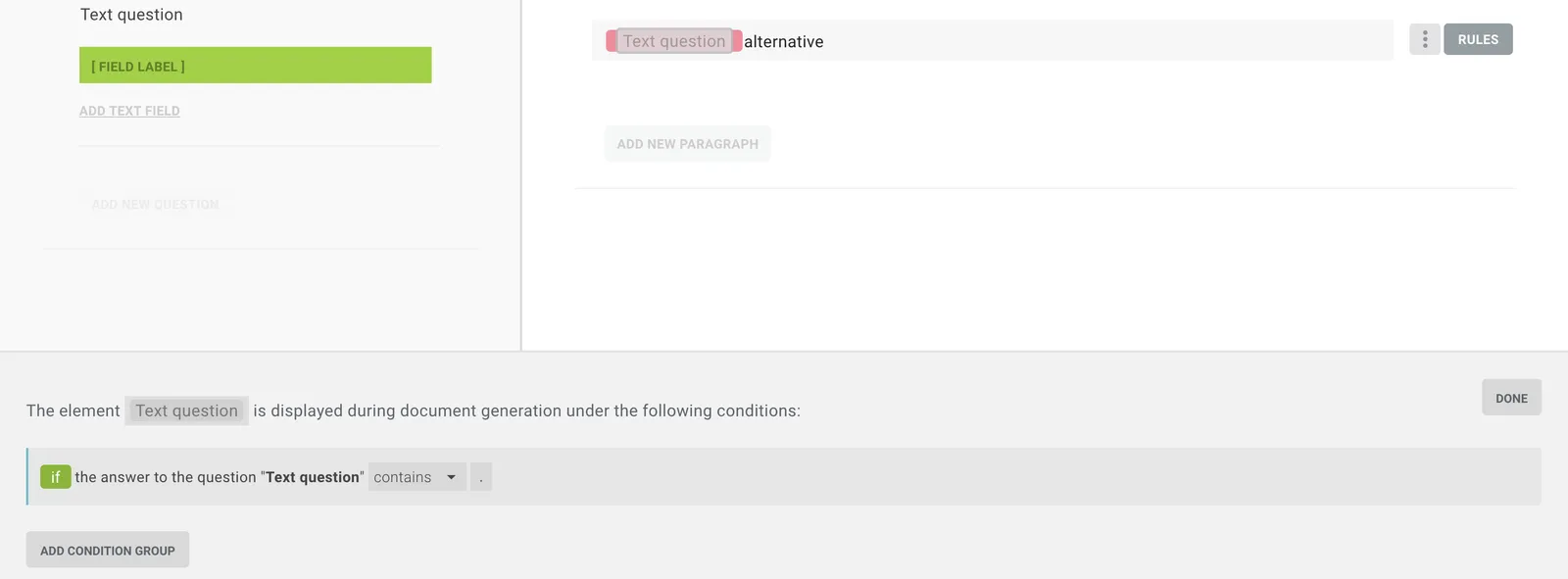
This also lets you hide unfilled placeholders or show alternative words - just set the rule above as a negative rule on the alternative word.