Requirements
For automatic translation, you need an account with DeepL that grants access to its API. For this purpose, please sign up for the “DeepL API” plan with DeepL. You can find this plan in the “For Developers” section.
If you have booked the plan, you will find the “Authentication key for the DeepL API” in your account data. Please send us this key. We will store it in your account and activate the automated translation.
Please note: Lawlift does not charge any surcharges for the use of DeepL. DeepL charges you directly for its use. We strongly recommend setting a cost limit with DeepL to protect yourself from surprises. DeepL charges per character. All characters are counted, including invisible ones such as spaces, tabs, line breaks, and XML tags. These characters preserve the translation context - only by sending them is a good, coherent translation possible.
For a differentiated translation, we, therefore, enable you to block headings and paragraphs, i.e. to exclude them from the translation. Read more about this at the end of this article.
The automated translation of templates
In the template itself, the following options are available to you after we have activated the DeepL API and bilingualism:
Select the language
You can select the language to translate into. Under “OPTIONS” → “Bilingual mode”, select the “Second language”. The languages offered by DeepL are available.
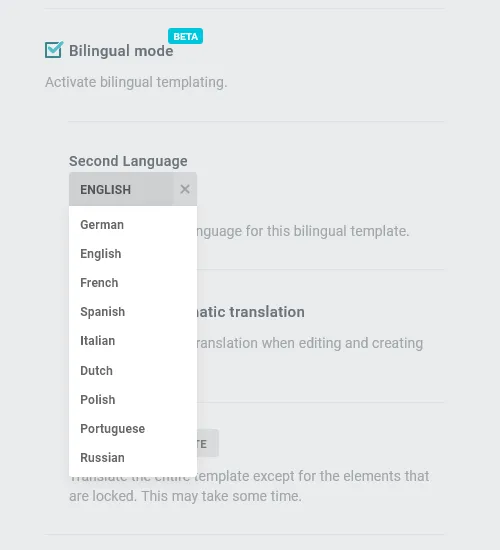
The Live Translation
You can have the template translated live. This is useful if you are starting to create a new template and already know in which languages the document is to be created. Under OPTIONS under “Bilingual mode” set a checkmark under “Activate automatic translation”.
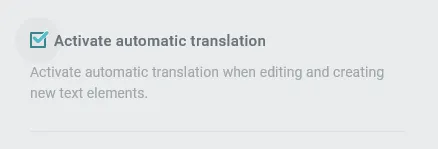
When you add new headings or paragraphs, or edit (unlocked) headings or paragraphs, DeepL automatically adjusts the translation or suggests a translation into the selected language.
Translation of the entire template
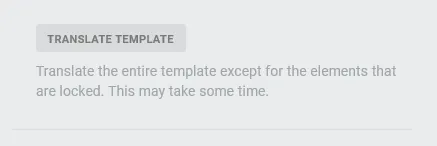
You can also have the entire template translated. This is useful if you have first built and finalized the template in one language and then want to build a bilingual template from it.
Translation of individual paragraphs and headings
You can also translate individual paragraphs. This is useful if you have not activated automatic translation and a paragraph or heading is to be translated manually. This method is also recommended if the paragraph or heading was previously locked for translation. To do this, move your cursor between the two paragraphs you want to translate and click on the icon:

Then click “TRANSLATE” to translate this paragraph.
Lock paragraphs or headings for translation
You can block paragraphs from translation so that you can control the costs incurred by the translation at DeepL.
Automatic blocking of paragraphs and headings
We automatically lock translated headings and paragraphs against a new or further automatic translation. You can tell whether a paragraph or heading is locked by this symbol:

Then click “LOCK” to exclude this paragraph from translation.
Unlock a paragraph or heading
If you want to unlock a paragraph or heading, move your cursor between the two paragraphs/headings you want to include again and click the icon:

Then click “UNLOCK” for not translating this paragraph/heading.