This macro numbers your attachments variably and inserts interactive cross-references to them throughout the text.
1. How the macro works:
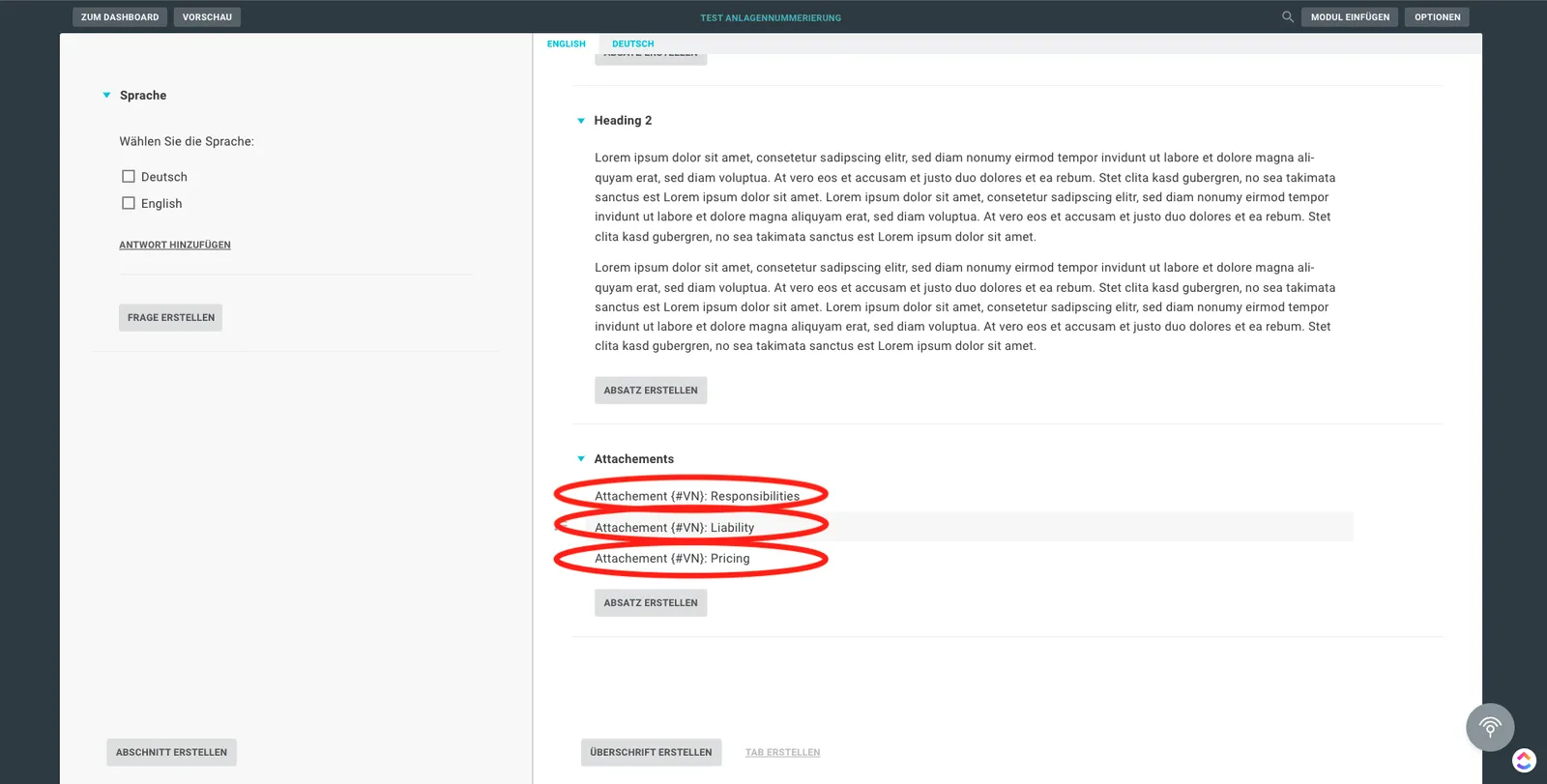
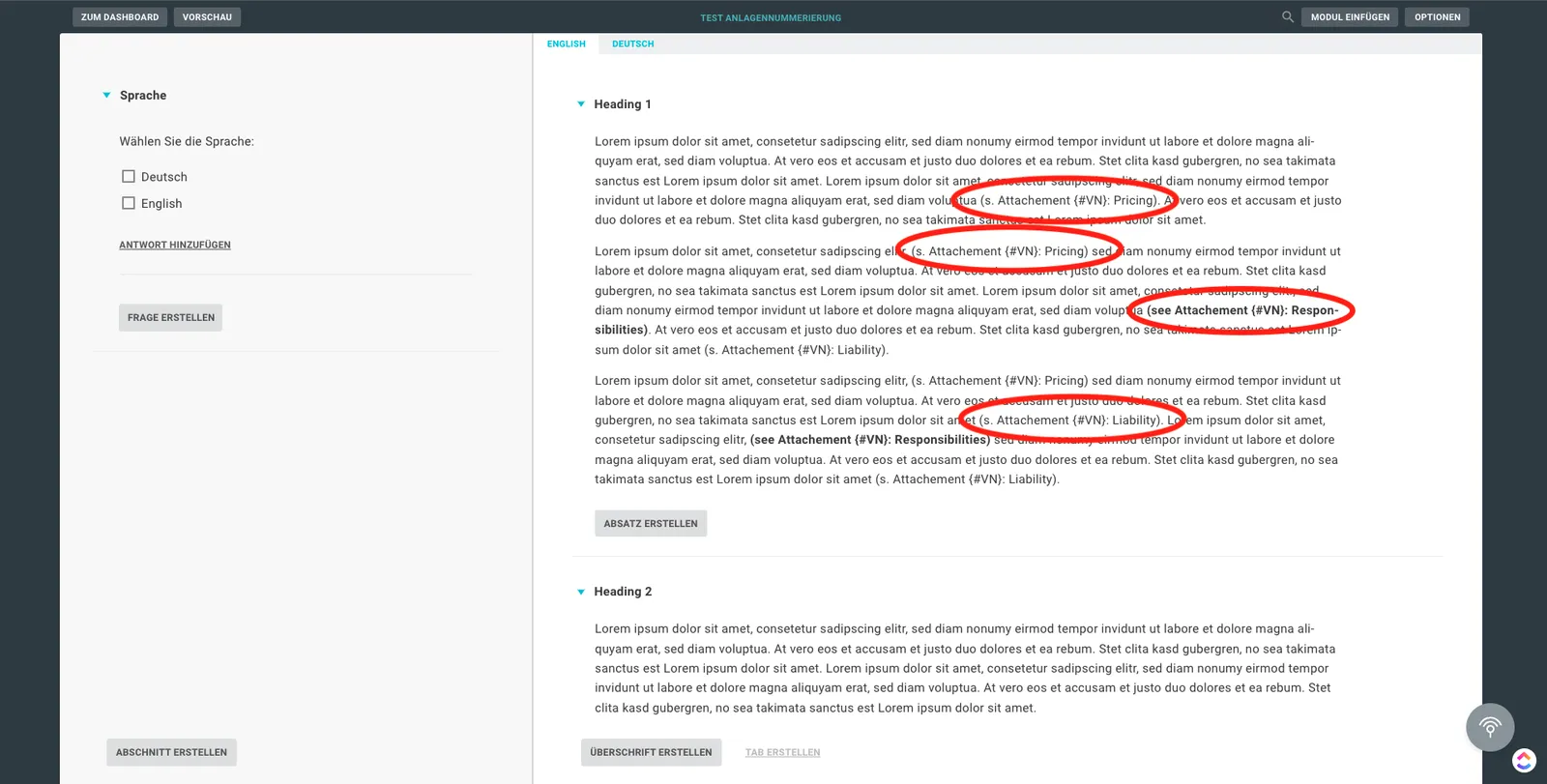
This code example offers you the possibility to number attachments variably and to set interactive references in the text. To do this, use the expression ”{#VN}”, which is placed in the place of the respective numbering, followed by the individual name of the attachment. For the references in the text, the expression ”(…Attachment {#VN}: Name_of_the_attachment)” is used.
2. Code example:
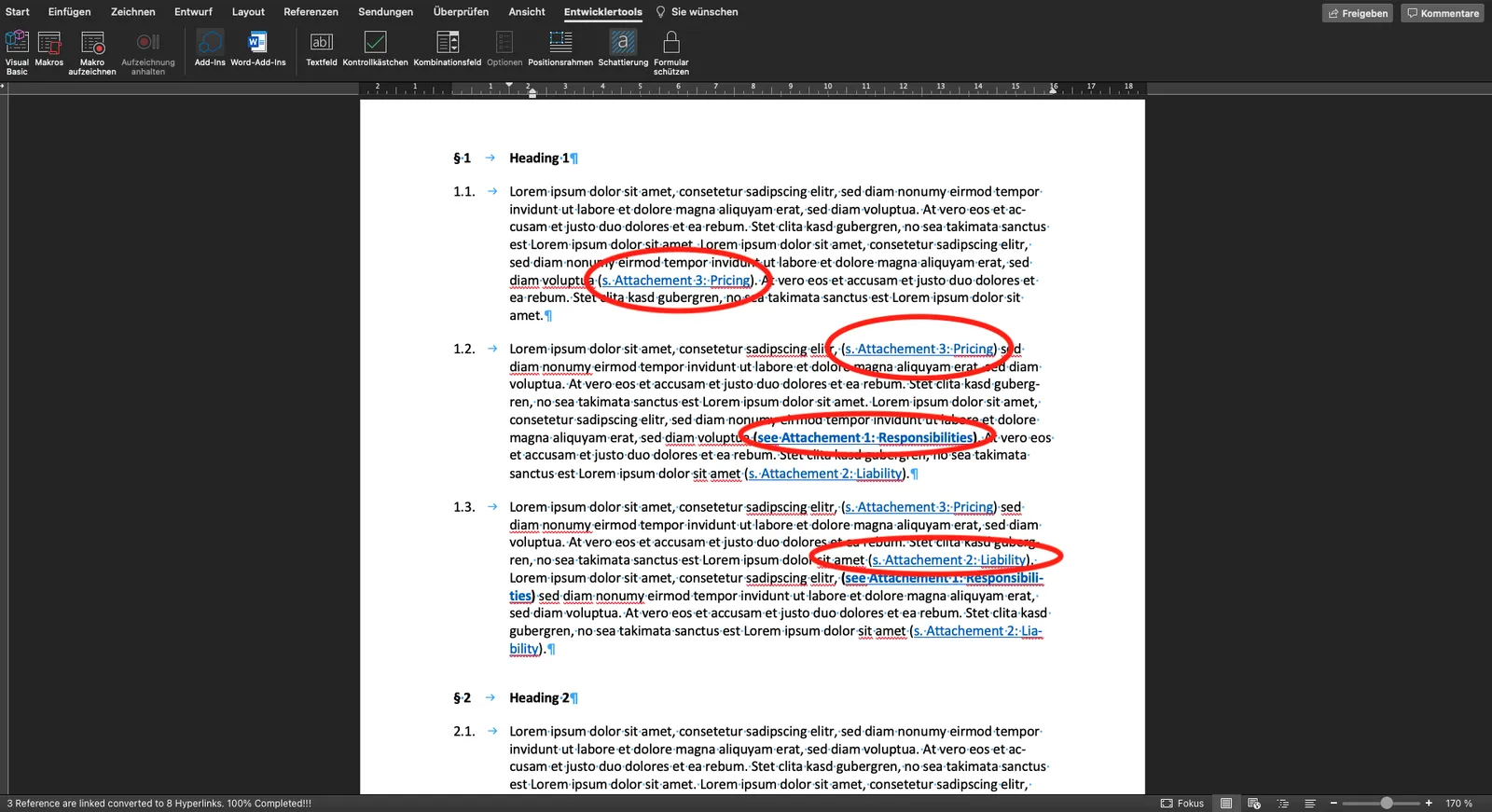
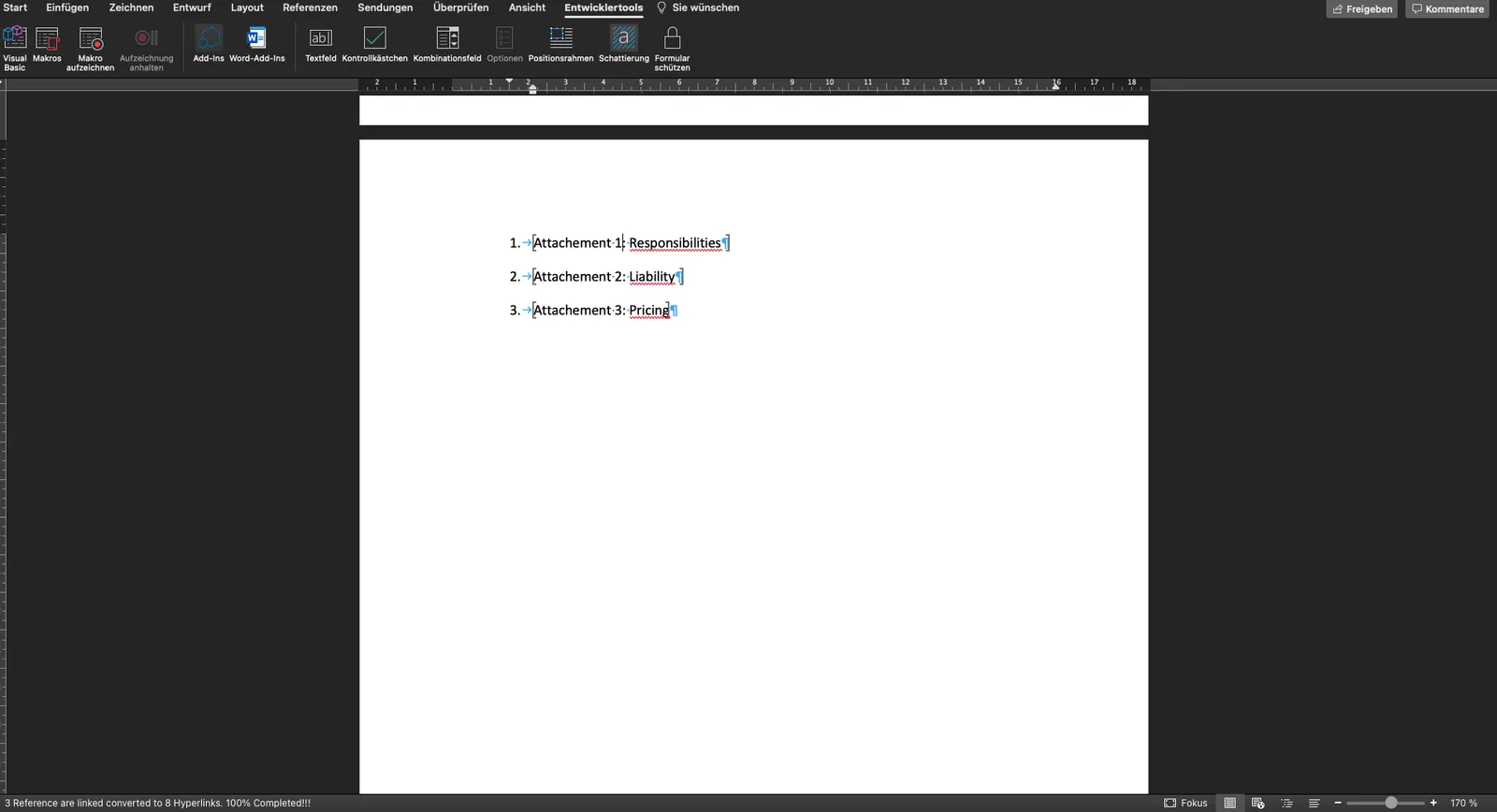
There are some special features to be observed when using the macro. To ensure proper functioning, the template must contain the heading “Attachments”. In addition, the attachments must be displayed in a numbered list. In the following, you will find an illustration of how the macro works:
Sub Numbering_N_Bookmarks_Updated_3()

'ADT = Mid(AD.Text, 24, Len(AD.Text))
'Selection.Find.Execute Trim(Left(Mid(AD.Text, 5, Len(AD.Text)), Len(Mid(AD.Text, 5, Len(AD.Text))) - 1)), Forward:=False

    Dim BMT, ADT, L1 As String
    Dim H As Integer
    Dim AD, MyRange As Range: Set MyRange = ActiveDocument.Range

    Selection.EndKey wdStory
    Selection.Find.Execute "Attachements:", Forward:=False

    MyRange.SetRange Start:=Selection.End, End:=MyRange.End

    With MyRange.Find
        .Text = "{#VN}:"
        Do While .Execute
        L1 = MyRange.ListFormat.ListString
        If Right(L1, 1) = "." Then L1 = Left(L1, Len(L1) - 1)

        BMT = MyRange.Paragraphs(1).Range.Text
        BMT = Left(BMT, Len(BMT) - 1)
        MyRange.Text = L1 & ":"

        '===  Bookmark  ==='
        ActiveDocument.Bookmarks.Add Range:=MyRange.Paragraphs(1).Range, _
                  Name:="BByB" & L1
        '=================='
        Set AD = ActiveDocument.Range
        AD.SetRange Start:=AD.Start, End:=MyRange.Start

            With AD.Find
                .Text = "\(?*\)"
                .MatchWildcards = True
                .Forward = False
                Do While .Execute
                    AD.MoveEnd wdCharacter, -1
                    AD.MoveStart wdCharacter, 1
                        If InStr(.Parent.Text, BMT) Then

                            AD.Select
                            Selection.Find.Execute "{#VN}"
                            Selection.TypeText L1
                            AD.Select
                            H = H + 1
                            '===  Hyperlink  ===='
                        ActiveDocument.Hyperlinks.Add Anchor:=Selection.Range, _
                        SubAddress:="BByB" & L1
                            '===================='

                        Application.StatusBar = L1 & " Reference is in process!!!..."

                        End If
                .Parent.Collapse wdCollapseEnd
                Loop
            End With

        .Parent.Collapse wdCollapseEnd
        Loop
    End With

Application.StatusBar = L1 & " Reference are linked converted to " & H & " Hyperlinks. 100% Completed!!!"

End Sub
IMPORTANT: If you want the macro to run automatically when you open the Word file, you can name it “AutoOpen”. For help, please contact our support (support@lawlift.com).
Run the macro: see How to insert and run a Word macro.