Instead of answering every question by hand, upload existing files. Lawlift reads them and fills matching answers into the questionnaire automatically.
Step by step
-
Open a questionnaire - whether from a deterministic template, a guardrail template or an AI draft.
-
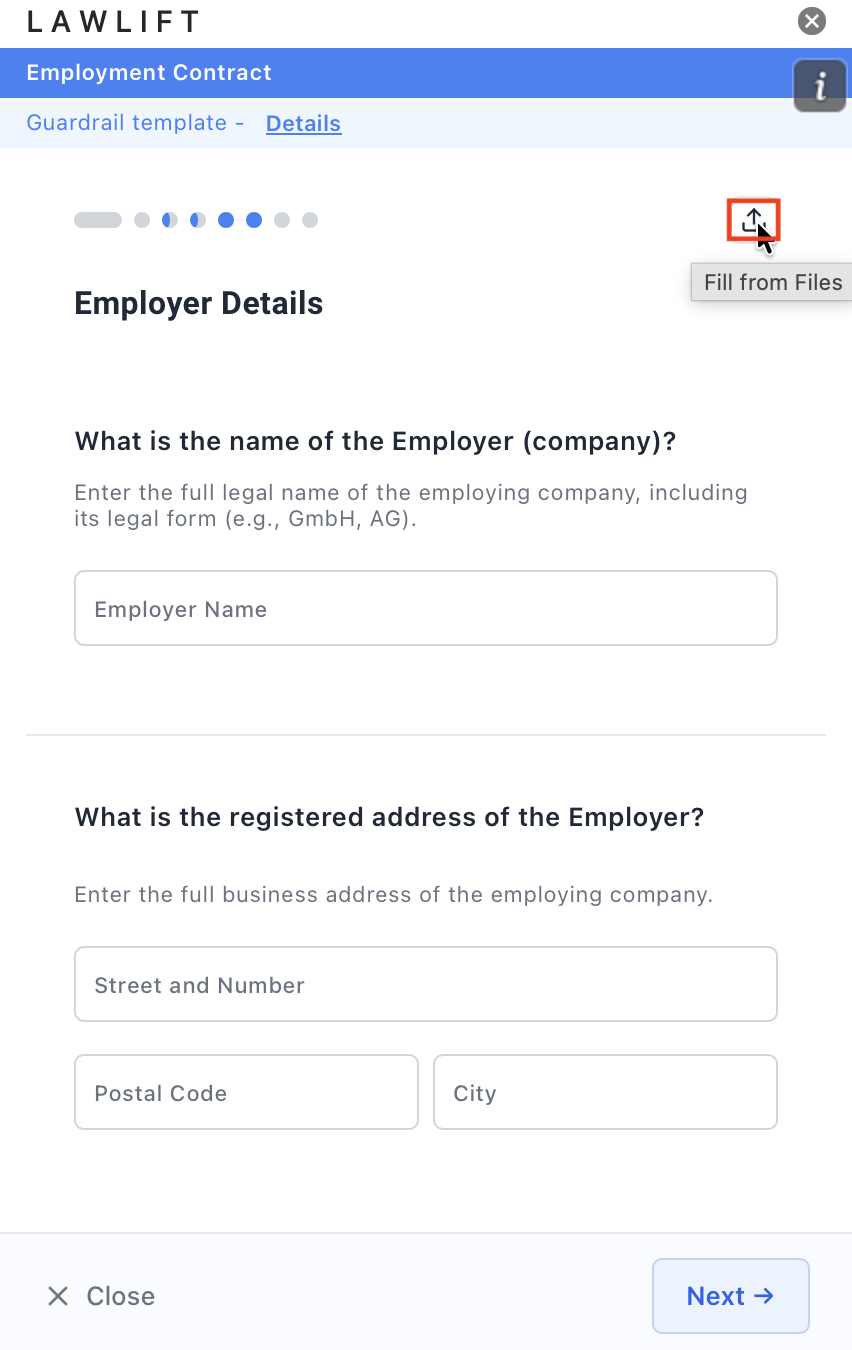
At the top of the questionnaire, click the upload icon (Fill from Files).
-
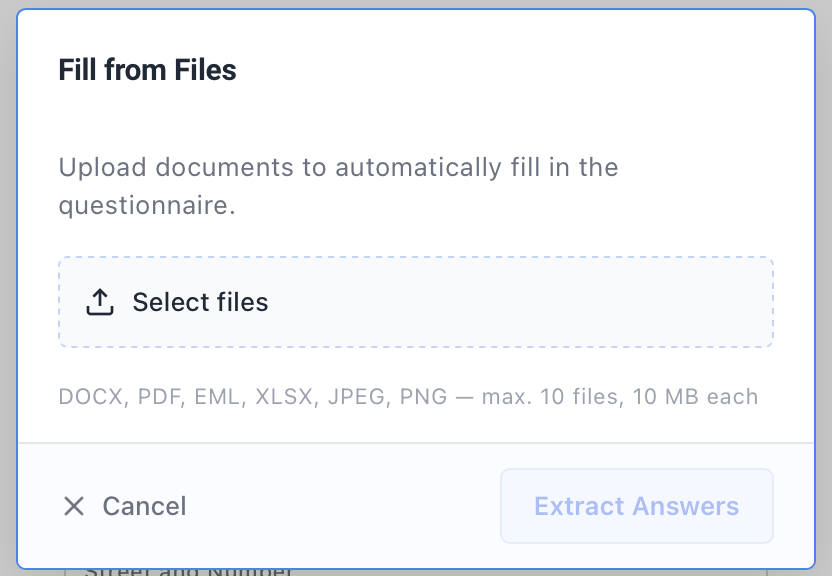
Click Select files and add your documents. Supported formats are DOCX, PDF, EML, XLSX, JPEG and PNG - max. 10 files, 10 MB each.
-
Click Extract Answers. While “Extracting Answers” is shown, the Add-in runs through “Reading files”, “Analyzing content” and “Filling answers”.
-
Under Results, see which answers were extracted and filled. Review the applied values and complete any open fields before you click Generate Document.
Good to know
- If nothing matches, the Add-in reports “No matching answers were found in the uploaded files” - fill in the questionnaire manually in that case.