In the multi-document workflow you can set cross-references across tabs.
Important: Cross-references only work from the first tab into a later one (2nd, 3rd, … tab), not the other way around. With several tabs it’s easy to lose track of what a reference points to, so use them with care.
Step by step
-
In Tab 1, set a cross-reference to the target element (paragraph or heading; in the example “Clause 1.2”).
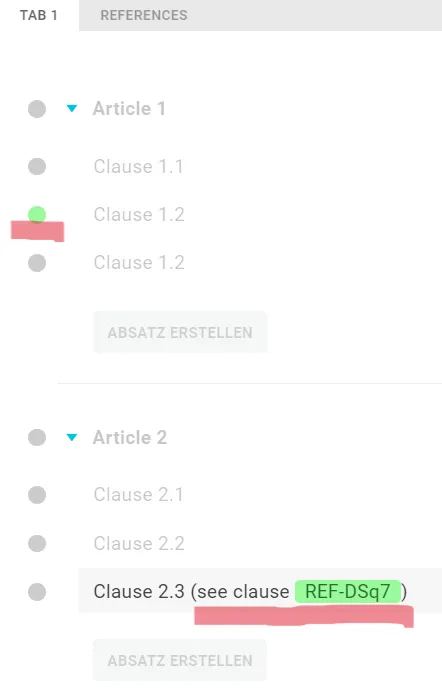
-
Copy the reference and paste it at the right spot in the second tab (Windows: Ctrl + C / Ctrl + V).
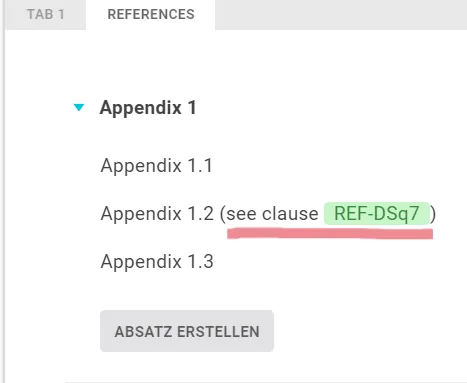
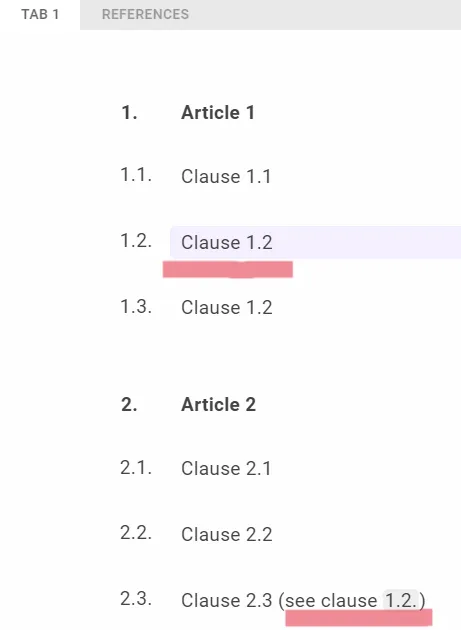
In the Lawlift preview the reference is a functional field: clicking it takes you to the linked element, which Lawlift highlights in purple - but only in the first tab the reference comes from.
Good to know
- On export the field function is lost, since Word can no longer communicate with Lawlift - automatic updating is then no longer possible. Cross-tab references are exported with their number (e.g. “1.2”); keep track yourself of which document the number refers to.