Within a serial you can limit individual inline rules to specific instances (repetitions) - for example a comma between entries and a full stop only in the last instance.
Step by step
-
First, create a serial. Once an element contains a serial, its three grey dots turn turquoise.
-
Select the text that should appear only in certain instances and click Inline rule. The rule window opens at the bottom.
-
Choose the instance: All, First, Last, First/Last, Not first, Not last or Not first/Not last.

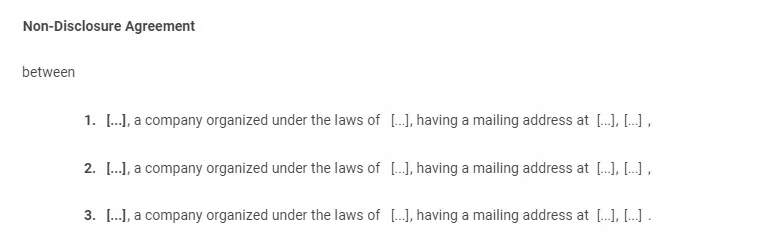
For example, set the inline rule ”.” to Last so it appears only in the last instance, and ”,” to Not last so it appears in every instance except the last.
Good to know
- By default, every inline rule appears in all instances.
- Instances work in all serialised elements - paragraphs, headings, questions, answers and sections.