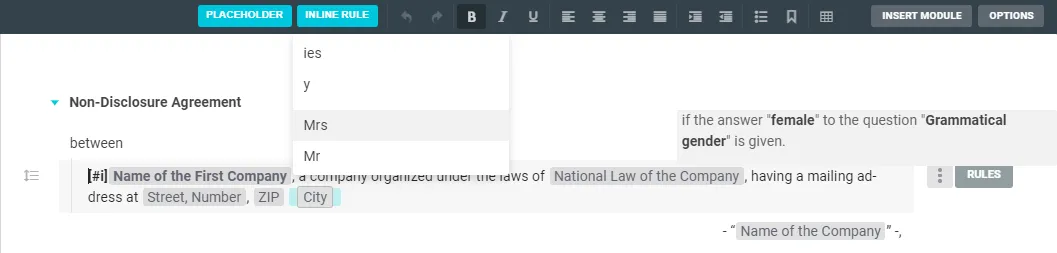
Inline rules link individual text parts - down to a single letter or punctuation mark - to the answers in your questionnaire. That’s how you implement grammatical variants.
Set an inline rule
In an element (section, question, heading or paragraph), select the part to be governed and click Inline rule at the top. As when setting rules, the linkable answers appear; choose the one that should trigger the text. The governed part turns turquoise. AND/OR combinations and groups work just like normal rules.

Delete an inline rule
Place the cursor right after the inline rule, press the left arrow key until it has a black border, then press Backspace. The inline rule turns back into plain text.

Edit & format an inline rule
Click the inline rule to open the rule window. Change the text in the first line, then click Done. To format it, select the inline rule with the arrow keys (black border) and click bold, italic or underline in the toolbar.
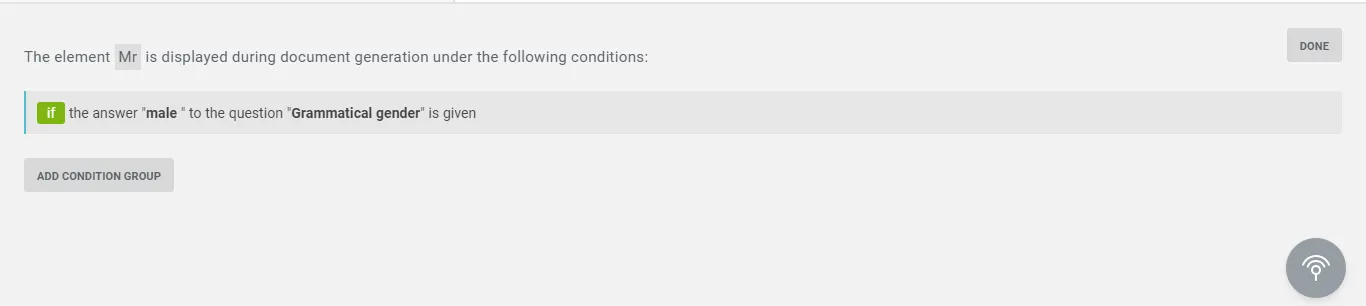
Yellow inline rule
An inline rule shown with a yellow background hasn’t been defined yet. Click the yellow field to link the text element to an answer from your questionnaire.
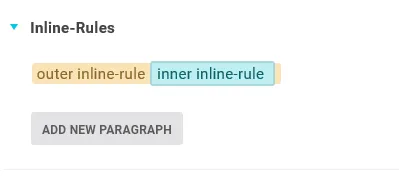
Interlace inline rules
You can place a new inline rule over an existing one - the outer rule then also covers the inner one. If both conditions are met, the inner inline rule is shown too.
Note: You can interlace from small to large, not the other way around - parts of an element that already has an inline rule can’t be governed separately yet.
Tip: Avoid an empty line. If an inline rule sits on its own line and its rule doesn’t apply, an empty line break is exported. Set the rule so it also encloses the line break of the line above.
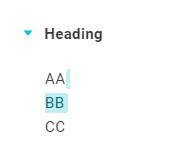
Inline-rule library
To reuse inline rules, copy and paste them - or click the Inline rule button once and pick one from the drop-down. It’s inserted at the cursor position. Hover over an entry to see the linked condition.