When you add a text input field to a questionnaire, you can control two things about the answers people give: how the answer is written into the document, and which answers count as valid. Output formatting normalizes an answer so it always looks the same in the finished document, regardless of how it was typed. Validation rules catch answers that don’t fit, such as a date outside an allowed range, a malformed web address, or text that doesn’t match a required pattern.
Opening the validation panel
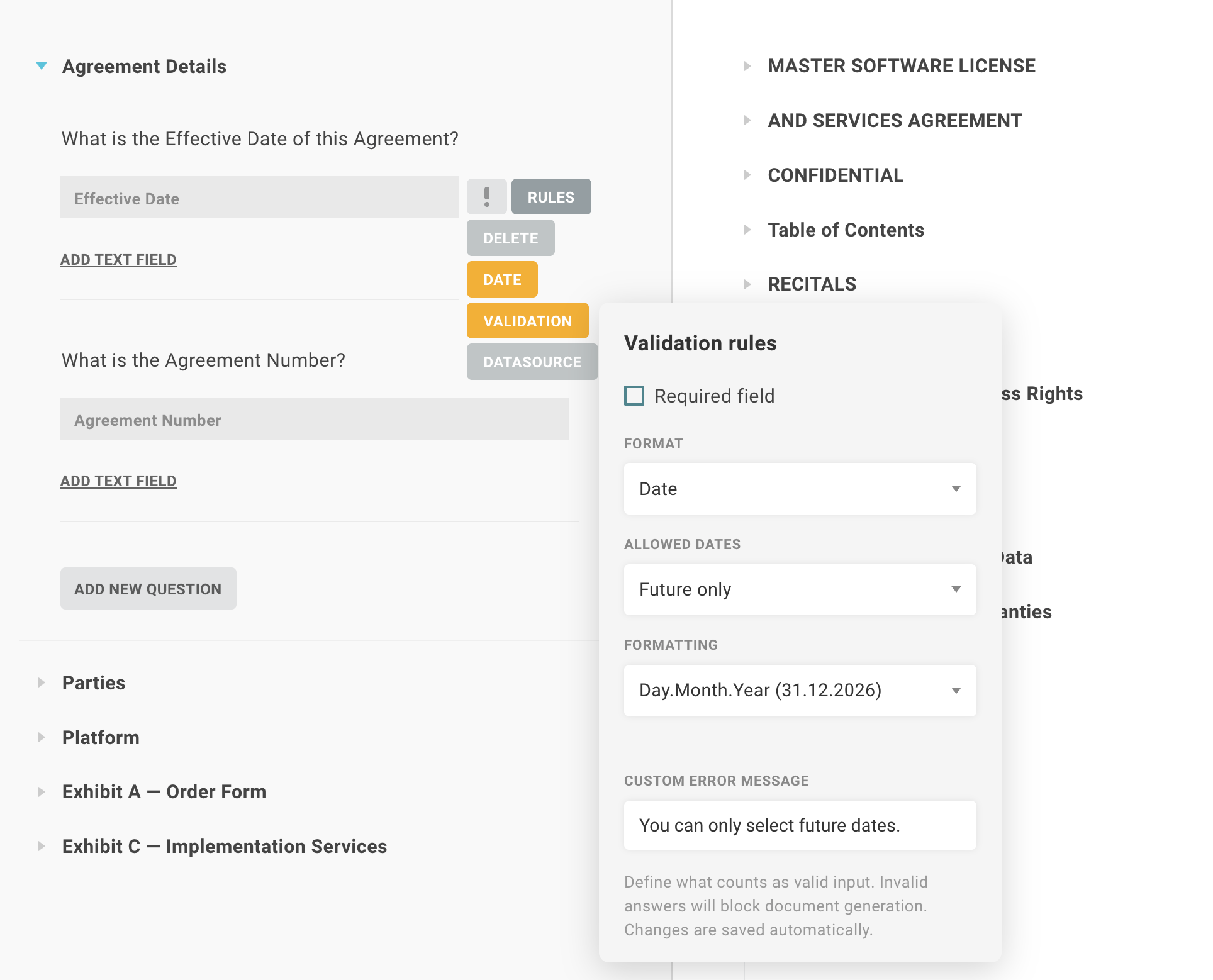
In the template editor, select an input field and open its validation panel. The options you see depend on the field’s input type (text, number, date, phone, or URL). The panel stays attached to its field as you scroll and closes automatically when the field leaves the visible area.
Output formatting
Choose a format for the field, and Lawlift applies it to every answer before it reaches the document. If you leave the format set to “none,” answers are written exactly as entered.
Text
| Format | Result |
|---|---|
| Uppercase | BERLIN |
| Lowercase | berlin |
| Capitalize each word | Berlin Mitte |
| Sentence case | Berlin mitte |
| Trim | Removes leading and trailing spaces |
| Custom | Your own format string |
Number
Numbers can be entered in English style (1234.56) or German style (1.234,56). Lawlift reads both.
| Format | Example |
|---|---|
| Thousands separator | 1,234,567 |
| Fixed decimals | 1234.50 |
| Currency (EUR) | €1,234.56 |
| Currency (USD) | $1,234.56 |
| Percent | 42% |
| Custom pattern | Your own number pattern, including decimal places |
To pin a number to a fixed number of decimal places (for example, always two), set the decimal digits field.
Date
| Format | Example |
|---|---|
| Day/Month/Year | 31.12.2026 |
| Month/Day/Year | 12/31/2026 |
| ISO | 2026-12-31 |
| Long | 31 December 2026 |
| Month/Year | 12/2026 |
| Custom tokens | Build your own using YYYY, MM, DD, MMMM, and similar tokens |
Phone
| Format | Result |
|---|---|
| Space grouping | 030 1234 5678 |
| Digits only | 03012345678 |
URL
| Format | Result |
|---|---|
| Add protocol | https://lawlift.com |
| Remove protocol | lawlift.com |
Custom formats
Every input type offers a custom format option for cases the presets don’t cover. You supply the format string yourself: a template for text, a number pattern with a decimal specification for numbers, or a token string for dates. The panel shows a hint for the tokens available to that field type.
Validation rules
Date range
You can require a date to fall within a range, using one of three modes:
- After: the answer must be on or after a chosen date (lower bound only).
- Before: the answer must be on or before a chosen date (upper bound only).
- Between: the answer must fall within both bounds.
All bounds are inclusive. A minimum of 1 January 2026 accepts 1 January 2026 itself. Use the calendar picker in the panel to set the earliest and latest allowed dates.
Web address (URL)
URL validation checks that an answer is a real web address with a valid top-level domain. A bare domain passes without a protocol, so lawlift.com is accepted. Entries that aren’t addresses, such as report.txt, are rejected.
Pattern
The pattern rule checks an answer against a pattern you define, for fields that need a specific structure.
How answers behave in the generated document
If an answer fails its validation rule, the document renders that spot as an unanswered placeholder instead of inserting an invalid value. Missing or incorrect answers are, therefore, easy to spot in the output.