Footnotes as instructions for completing the form
The purpose of footnotes in templates is to inform the user about the selection options. So it was previously the case that the lawyer downloaded a template as a Word file and read the information in the Word file, made a decision and deleted it. In the final document, it should not be evident that the lawyer used a template.
In Lawlift there are various possibilities to integrate this “old footnote function” in a more meaningful way, namely when the user answers the interview. The notes can be attached directly to the question. However, they can also be displayed or collected in the running text or in a separate document. The user can then be given the choice of generating the document with notes included, with notes in a separate document, or without any notes at all. You can decide for yourself when and where you want to inform the user of your template.
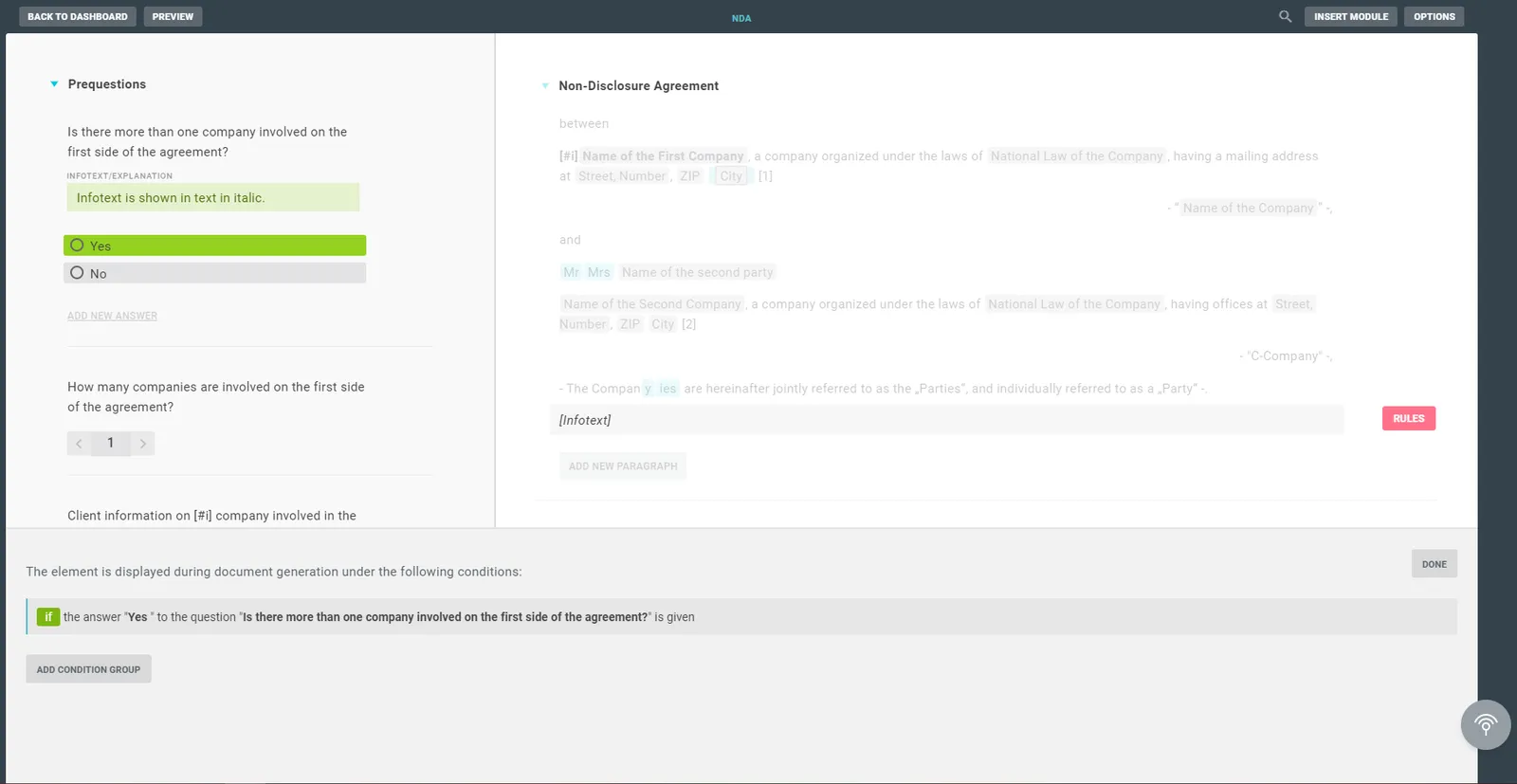
In the template, you can include comments in the text and rule them with a question of whether the comments should be visible or hidden.
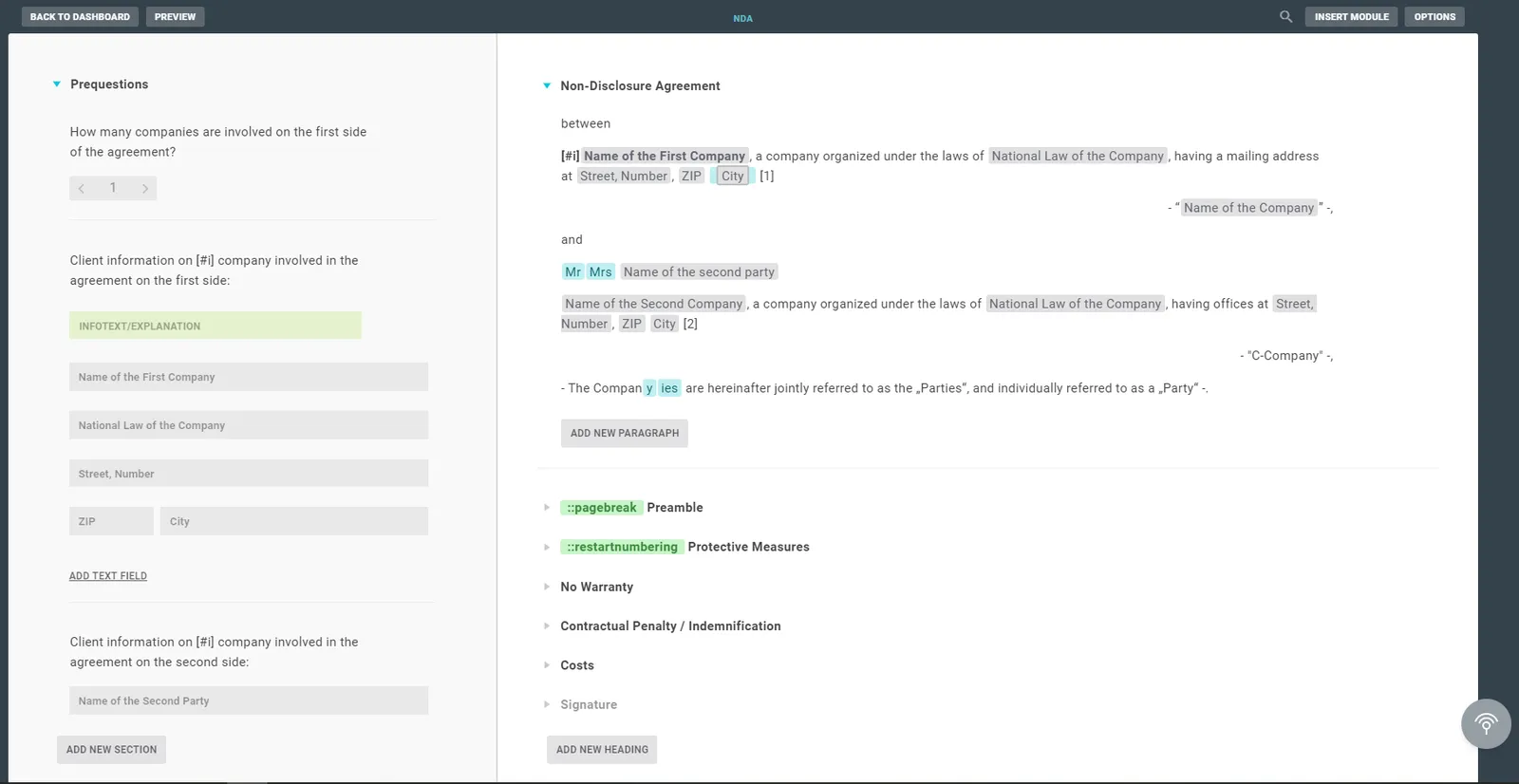
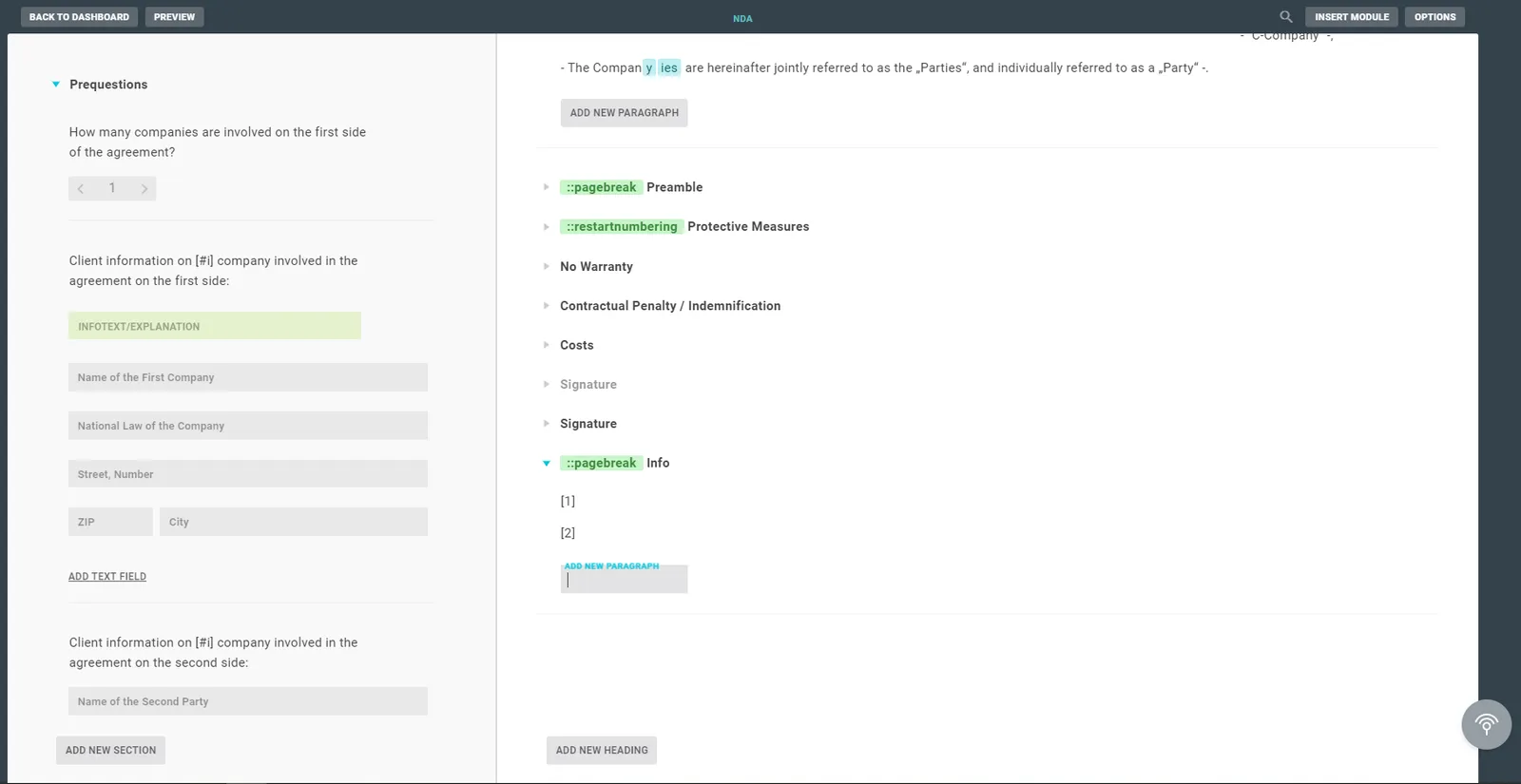
You can also create a text with the respective comments at the very end.
Footnotes as dynamic text in the header and footer
With Lawlift you also have the option of filling headers and footers with dynamic and static content.
For the dynamic content, you only need a corresponding text anchor in the footer or header and the link in Lawlift with the heading.

Automated control and formatting of footnotes using Word macros
You can also use Word macros to format footnotes. Lawlift also supports the .docm file format. The user can thus make any individual adjustments/formatting of the footnote text generated by Lawlift and have them carried out automatically after the Word file has been generated. Instructions can be found in Format footnotes automatically.
This also solves the problem that Microsoft Word does not allow the automatic control of footnote symbols and footnote texts via the format templates. See Format footnotes automatically; automation is also possible in these cases for the desired formatting.