The Lawlift Word Add-in brings Lawlift’s features directly into Microsoft Word. You create, refine and review documents without leaving Word - the task pane opens alongside your document.
Step by step
-
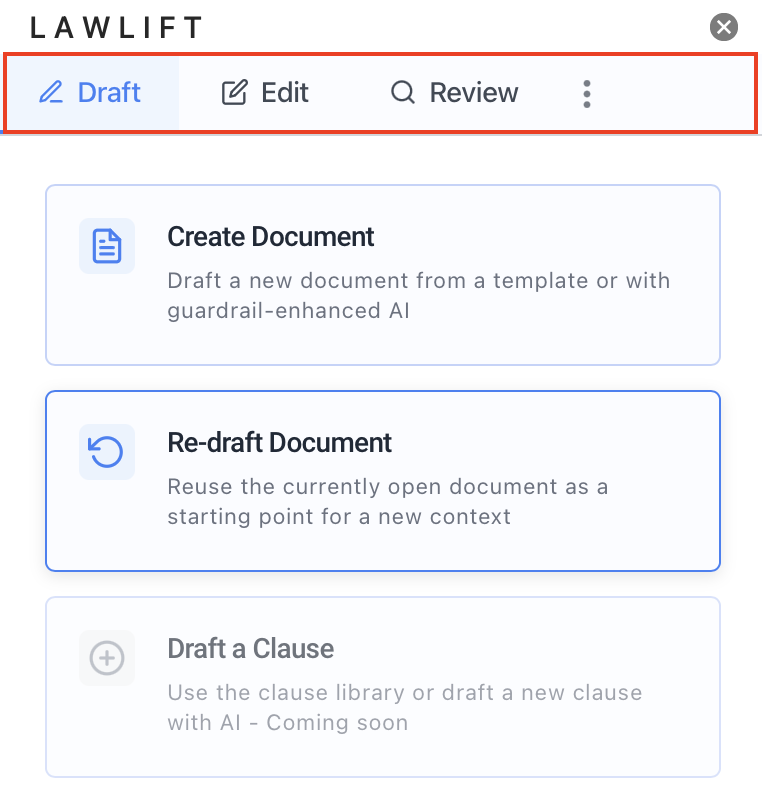
Open a document in Word and launch the Add-in. The task pane appears with three tabs: Draft, Edit and Review.
-
Use the cards to pick a feature. The Draft tab offers Create Document (from a template or drafted from scratch with AI) and Re-draft Document.
-
The Edit tab provides Translate, Anonymize and Apply Formatting.
-
The Review tab lets you run quality checks via Run Document Tests and produce a structured overview via Create Summary.
Good to know
- What the Add-in does: create documents from templates (guide), draft from scratch with AI (part of Lawlift Plus), translate, anonymize, normalize formatting, build templates, and run tests and summaries.
- Right in the document: generated and revised content is written straight into your Word document.
- Coming soon: Draft a Clause and Audit Document History are still in preparation.
- To get started, see Install the Add-in and Sign in & Single Sign-On (SSO).