The Assistant is the Word Add-in’s AI chat. In a conversation panel you can ask questions about your document or describe the edits you want in plain language - the Assistant reads the open document and answers in context.
Step by step
-
The Assistant is always available as a panel at the bottom of the Add-in. Use Maximize panel and Minimize panel to adjust its height.

-
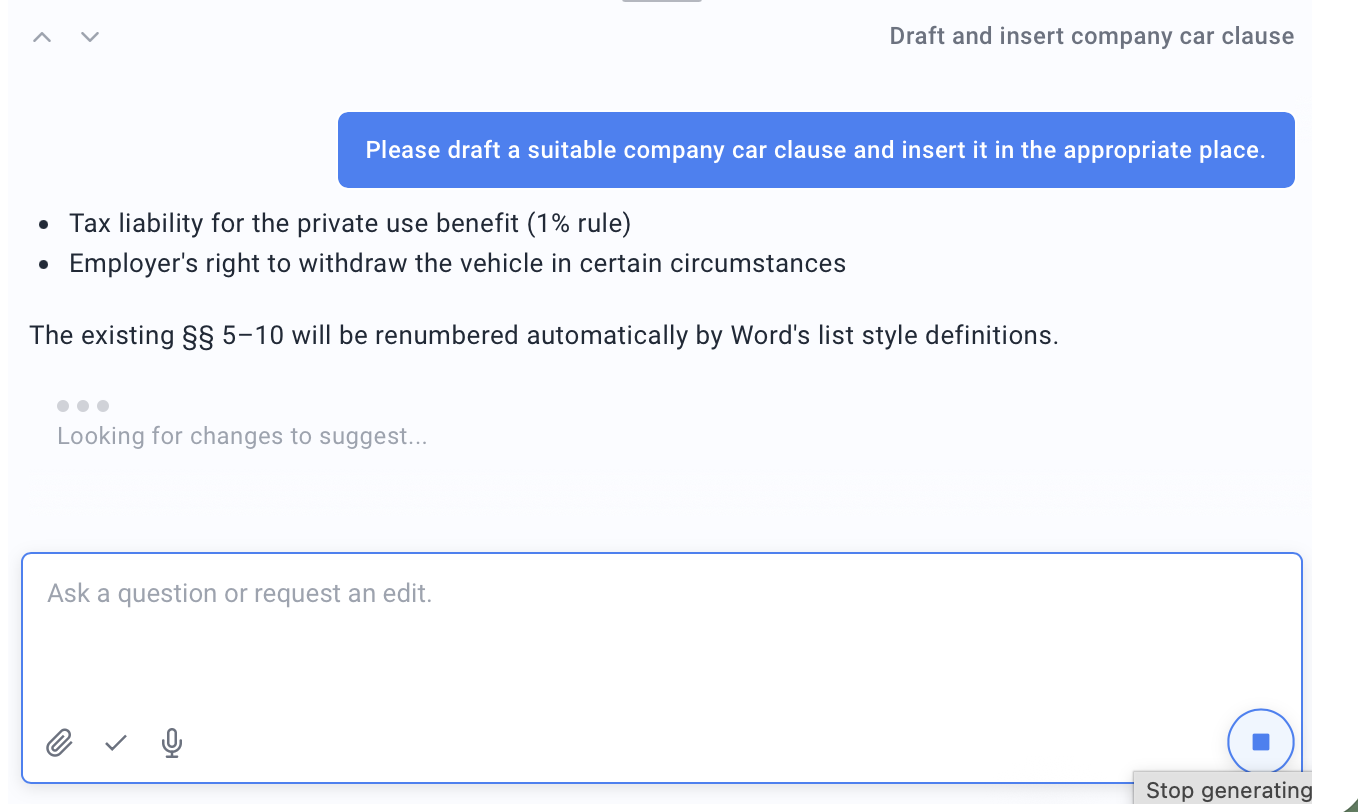
Type your request into the input field (“Ask a question or request an edit.”) and click Send message. You can both ask questions and request edits to the document.
-
Optional: Use Attach additional documents (.docx, .doc, .pdf, .txt) to give the Assistant extra context.
-
While it works, a status is shown (such as “Reading the document” or “Looking for changes to suggest”). Use Stop generating to cancel a response in progress.
Good to know
- Multiple chats: Use New Chat to start a fresh conversation; existing chats can be renamed (Rename chat) and removed (Delete chat).
- What the Assistant can do: It answers questions, suggests text edits (see Edit text from the chat), recommends the right Add-in tool (see Agents that recommend the best tool) and accepts input by voice.